
Understand Policy Structure and Syntax
Last update:2026-07-08 18:14:29
Policy Components
A policy consists of two key elements:
- A version number
- A list of statements
Each statement contains the following key components: Effect, Action, Resource, and Condition.
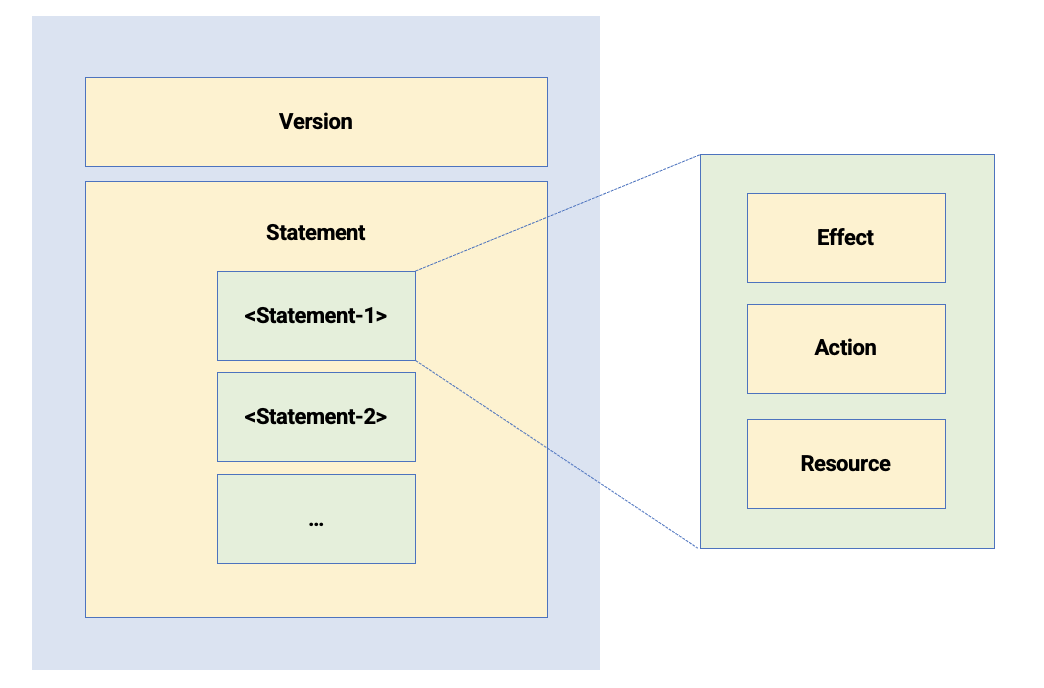
Working with Policy Syntax
Character Types
- JSON tokens used in policy syntax:
- Braces, brackets, and punctuation:
{ } " , :
- Braces, brackets, and punctuation:
- Special characters with specific functions:
- Operators and logical symbols:
= < > ( ) |
- Operators and logical symbols:
Character Usage Guidelines
- Use commas (
,) to separate multiple values within an element. - Use ellipsis (
...) to indicate additional values, for example:[ value1, value2, ... ]. - For elements that support multiple values, a single-value expression is also valid. For example,
"Action": []and"Action": ""follow the same syntax pattern for list versus single-value usage. - A question mark (
?) indicates an optional element. - A vertical bar (
|) indicates alternatives, for example:"Allow" | "Deny". - Enclose strings in double quotation marks, for example:
"Version": "1".
Policy Elements in Detail
Version Element
- The current policy version is 1.
- This value cannot be modified.
Statement Elements
Policies can contain multiple statements with the following characteristics:
- Permissions are defined with Allow or Deny effects.
- Each statement must include both Action and Resource elements.
- These elements can contain multiple values when needed.
- Conditional logic can be applied.
- You can create condition blocks with multiple conditions using different operators.
Managing Permission Conflicts
When multiple policies are attached to an IAM user:
- If conflicting Allow and Deny statements apply to the same request, Deny always takes precedence.
Formatting Element Values
- Always enclose strings, numbers, dates, times, Boolean values, and IP addresses in double quotation marks.
- Use wildcard characters in string values for flexible matching:
- An asterisk (
*) matches any number of characters, including zero.
Example:ecs:Describe*matches all ECS API operations that begin withDescribe. - A question mark (
?) matches exactly one character.
- An asterisk (
Validating Your Policy
Policies are stored as JSON files in IAM. Before implementation:
- IAM automatically validates JSON syntax during policy creation and editing.
- Use JSON validators and editors for additional pre-validation.
- Ensure that the policy complies with the RFC 7159 JSON syntax standard.